SiDJ

Turn the M-VAVE FM-1 into a C64 deck. Forty years of SID music, from 1980s game themes to this year's demo compo winners, play on a cycle-exact Commodore 64 inside the FM-1, and every voice is yours to remix live: transpose from the keys, mute and solo, swap waveforms, sweep the filter, ride the tempo and a vinyl fader.

Free and open source, GPL-3.0Installs from Chrome or EdgeYour files go only to your FM-1
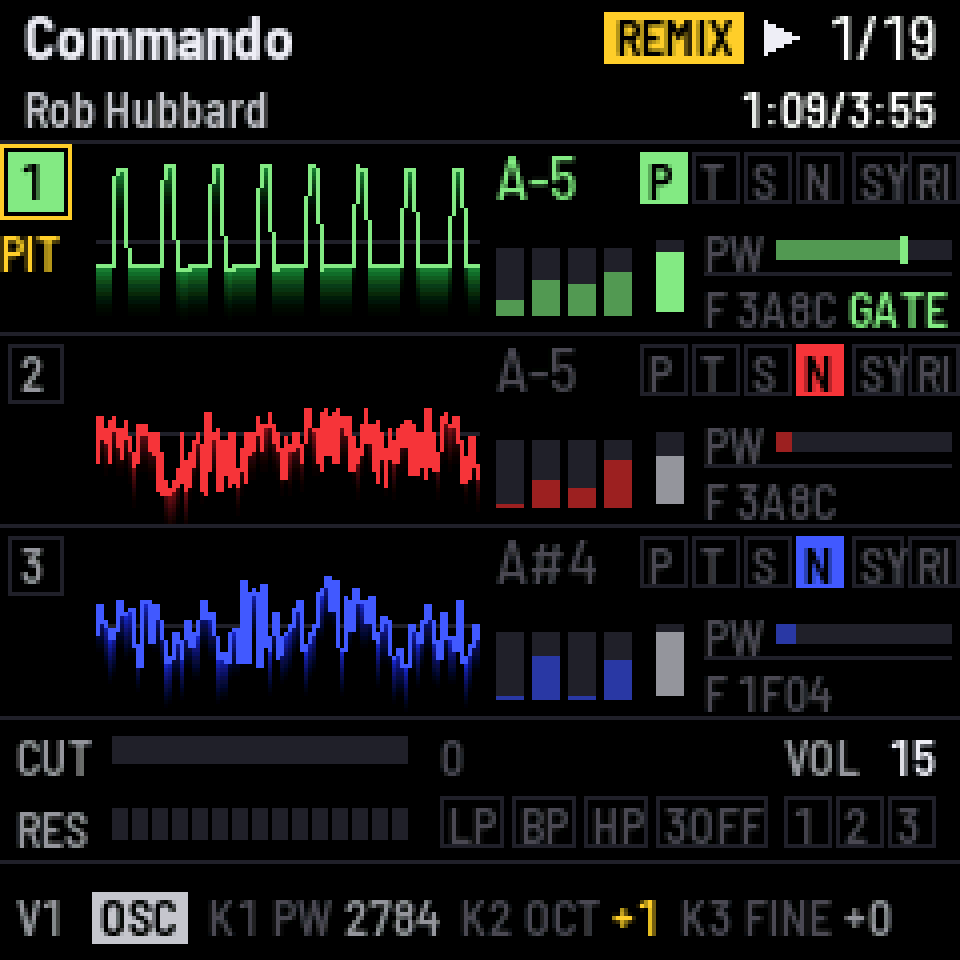
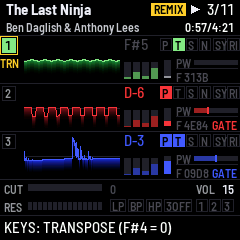
The FM-1's screen playing Commando by Rob Hubbard: three voices with their scopes, a square wave and two noise voices, voice 1 shifted an octave up

On the FM-1

A tune you can play with

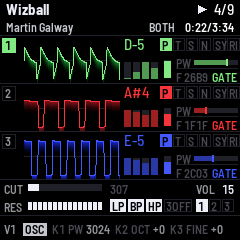
Each voice gets its own scope, note, waveform, envelope and pulse width, and the filter is laid out beneath. Whatever you change shows up in gold, with REMIX at the top, and two buttons put it all back.

What it does

Made for playing live

The whole of HVSC

Tens of thousands of tunes: game classics, demo bangers, today's compo winners. Each plays on the 6581 or 8580 it was written for and stops where HVSC says it ends.

Remix every voice

Hold a key on the FM-1 or a MIDI keyboard and the voice follows, in time. Mute, solo, swap waveforms, bend envelopes and pulse width, push the cutoff up to 16×, give each voice its own LFO, and ride the tempo and a vinyl fader. Two buttons put it all back.

Real SID, USB audio

Drive a SidStation, TherapSID, TeensyROM or USBSID-Pico over ASID, remix included, alone or alongside the emulation. Over the same cable the FM-1 is a driverless audio interface: the mix, or each voice on its own channel, straight into your DAW.

Try it first

The browser emulator runs the very same firmware, panel and all. Drop a .sid on it and play.

Under the hood

A real C64 in there

Not a player that approximates. A Commodore 64 emulated cycle by cycle, with the SID engine the C64 scene measures itself against.

Cycle-exact C64

A 6510 with IRQ and NMI, both CIAs, the VIC's raster and bad lines. Every I/O access lands on its own cycle, so stable-raster code, NMI sample players and multi-speed tunes up to 38× run as written.

reSID inside

A fixed-point port of reSID 0.16, bit-exact with the original, as a 6581 or an 8580. The 8580's floating waveform DAC is there too, so tunes that play samples with the test bit sound as they should.

No aliasing

Pulse, sawtooth and the combined waveforms are averaged over every cycle of each sample instead of picked once a sample: narrow pulses stay steady and edges stay clean.

Measured, not guessed

The SID writes match libsidplayfp's own C64 at a median of 99.99 % (PSID) and 99.92 % (RSID) over random HVSC tunes, and the audio load is measured on the FM-1 with the heaviest tunes found: no dropouts, by design. The details.

Get started

Three steps

1

Install SiDJ

  1. Open this page in Chrome or Edge on a computer. Those browsers can talk MIDI to the FM-1.
  2. Switch the FM-1 on and connect it straight to the computer with a USB data cable. Close any other app that uses MIDI.
  3. Press Install and allow MIDI when the browser asks. Keep the cable in while it writes, which takes a minute or two.

Details

The installer works from M-VAVE's own firmware, from Felucca, from X0X and from other open firmwares built on Felucca's updater. If a write is interrupted, the FM-1 stays in update mode: reconnect it and press Install again. If the FM-1 no longer starts, it falls back by itself. Two failed starts give a safe mode where PLAY tries again, and four give the chip's own update mode, which OCT− and OCT+ held for 5 seconds also reach. From there, the README's tools/fm1_rescue.sh or M-VAVE's FM-1 Transporter puts firmware back.

SiDJ is free software with no warranty. Installing custom firmware is at your own risk.

Go back to the official firmware

Download the official FM-1 V15 from M-VAVE and choose the unmodified FM-1.fwsc. The browser checks it here and sends it nowhere else. The songs on the FM-1 are not kept, because the official firmware can't read them.

2

Put songs on it

Connect the FM-1 running SiDJ by USB.

Start with my tunes

Two tunes of mine, from HVSC and CSDb, come with this page, with their song lengths. Add them in one go, or listen to them in the emulator first.

From your copy of HVSC

The High Voltage SID Collection is the archive of C64 music, free to download from hvsc.c64.org. Unpack it once, to a folder called C64Music. Open that folder here to search it by composer, title or group. Every tune you add gets its song lengths, and the files go from your disk straight to the FM-1.

The page remembers the folder, so next time it is one click (the browser asks to confirm).

Or single files

You can also drop them here.
3

Play and remix

SEQ switches between the song list and the player. A & B means hold A, then press B; a voice button is HOME, SAVE or ARP. The full manual is in the README, and the emulator lets you try every control.

Song list

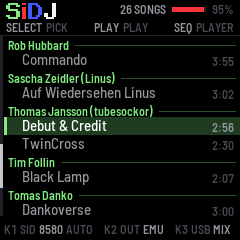
SELECTmove through the list
OCT−eight songs up
OCT+eight songs down
PLAYplay the song
PRESETSthe subsong
KNOB 1the SID chip: AUTO (the tune's), 6581 or 8580
KNOB 2output: emulated SID, ASID, or both
KNOB 3USB audio: the mix, or the mix and each voice
SAVEkeep these settings

Playing

PLAYplay or pause
REC&PLAYplay from the start
SELECTthe next or previous song
PRESETSthe subsong
ALGORITHMoutput: emulated SID, ASID, or both
MASTERthe level at the audio jack
SEQback to the song list

Voices and keys

HOMEvoice 1
SAVEvoice 2
ARPvoice 3
the keysplay the selected voice
OCT−the keys an octave down, three at most
OCT+the keys an octave up, three at most
FX&OCT−the keys transpose the tune
FX&OCT+the keys set the pitch
MIDI keyboardplays as the keys, over USB or MIDI IN: channels 1–3 a voice each, others the selected one
RECmute or unmute the voice
voice&RECsolo the voice

Waveforms

voice&FXpulse
voice&SELtriangle
voice&ENVsawtooth
voice&LFOnoise
voice&EDITsync on or off
voice&GLOring modulation on or off

Filter

SEL&HOMEvoice 1 through the filter, or not
SEL&SAVEvoice 2 through the filter, or not
SEL&ARPvoice 3 through the filter, or not
SEL&LFOlow-pass on or off
SEL&EDITband-pass on or off
SEL&GLOhigh-pass on or off
SEL&OCT+the cutoff knob scales the tune's cutoff
SEL&OCT−the cutoff knob adds to it

Knob pages

FXpulse width, octave, fine tune
ENVattack, decay, sustain, release
SELcutoff, resonance
LFOrate, depth, target, shape: an LFO per voice
GLOtempo 25–150 %, a ±8 % vinyl fader

Back to the tune

OCT−OCT+pressed together: everything back